
How to Find a Headphone Amplifier for Gaming in Texas
If you’re a gamer in Texas serious about your audio, you’ve probably hit the point where your motherboard’s built-in sound just isn’t cutting it anymore. Footsteps sound muddy, gunfire is harsh, and that expensive pair of gaming headphones you bought feels like it’s only performing at half its potential. The missing link is often a dedicated headphone amplifier. But with so many options, heat considerations, and the unique challenge of buying gear without hearing it first, finding the right Headphone Amplifier for Gaming in Texas can feel overwhelming. This guide cuts through the noise to give you a practical, step-by-step approach to finding the perfect amp for your setup, your games, and your specific situation, whether you’re in a Dallas apartment or a Houston home office.
Key Takeaways
- Determine your headphone’s impedance and sensitivity first, as this dictates whether you actually need an amplifier and how much power you truly require.
- Focus on essential gaming features like low latency, a clean noise floor, and sufficient gain for positional audio, rather than chasing high-end audiophile specs.
- Decide between a desktop amp (best for a permanent PC setup) and a portable DAC/amp (best for versatility and console gaming) based on where you play.
- When shopping locally in Texas, prioritize buying from audio-specific stores with solid return policies over big-box retailers to help manage the risk of purchasing without a demo.
Why Your Gaming Setup Might Need a Headphone Amplifier
Many gamers assume that if they can hear sounds, their headphones are working perfectly. But an amplifier does more than just make things louder. It provides clean, consistent power to your headphone drivers. Without sufficient power, your headphones might struggle to reproduce the dynamic range of a game like *Escape from Tarkov* or *Call of Duty*, where a quiet footstep or reload sound can mean the difference between victory and defeat. In technical terms, a weak signal causes the transient peaks—the initial thump of an explosion or a gunshot crack—to be clipped and distorted, reducing your ability to pinpoint the exact direction of a sound. An amplifier ensures these peaks are handled with headroom, giving you a more accurate and immersive soundstage. For higher-impedance headphones (typically over 100 ohms) or planer magnetic designs, an amp isn’t a luxury; it’s a necessity to reach acceptable volume levels without distortion. If you’re not sure where to start, a comprehensive review can help you understand the landscape, and this resource on finding a Headphone Amplifier for Gaming in Texas offers a solid foundation for your search.
Understanding What You Actually Need (Before You Look)
The biggest mistake gamers make is buying the most powerful amp they can find without understanding their gear. This isn’t about brute force; it’s about matching components.
Speaker Impedance and Sensitivity: The Real Specs
Impedance (measured in ohms) is how much resistance your headphones present to the amplifier. Low-impedance headphones (16–32 ohms) are easy to drive and are designed to work well with phones and laptops. High-impedance models (150–600 ohms) are built for studio gear and dedicated amps. Otherwise, you’ll end up with quiet, lifeless audio if you plug high-impedance cans into a weak source.
Alongside impedance is sensitivity, measured in decibels per milliwatt (dB/mW). This is how efficiently your headphones convert electrical signals into sound. A pair with high sensitivity (over 100 dB) will be loud even on low power. You need to find a headphone amplifier that can deliver enough voltage for your headphones’ impedance and enough current for their sensitivity.
Calculating Your Power Requirements
You don’t need to be an engineer, but knowing a rough formula helps. A simple rule of thumb for gaming: if your headphones have an impedance of 50 ohms or less and high sensitivity, a very modest amplifier (like a dongle DAC) might be all you need. For high-impedance headphones (200+ ohms), you need an amp that can output at least 100 mW at 300 ohms to ensure clean dynamic range. For planer headphones, which are current-hungry rather than voltage-hungry, you need an amp that spec-sheets its power into low-impedance loads, often 1-2 watts into 32 ohms. Always look at the power output for your specific headphone impedance. “Extra” power isn’t wasted in this scenario; it’s headroom for sudden volume spikes, which prevents clipping and distortion in intense action scenes.
Desktop vs. Portable: Which Amp Fits Your Texas Setup?
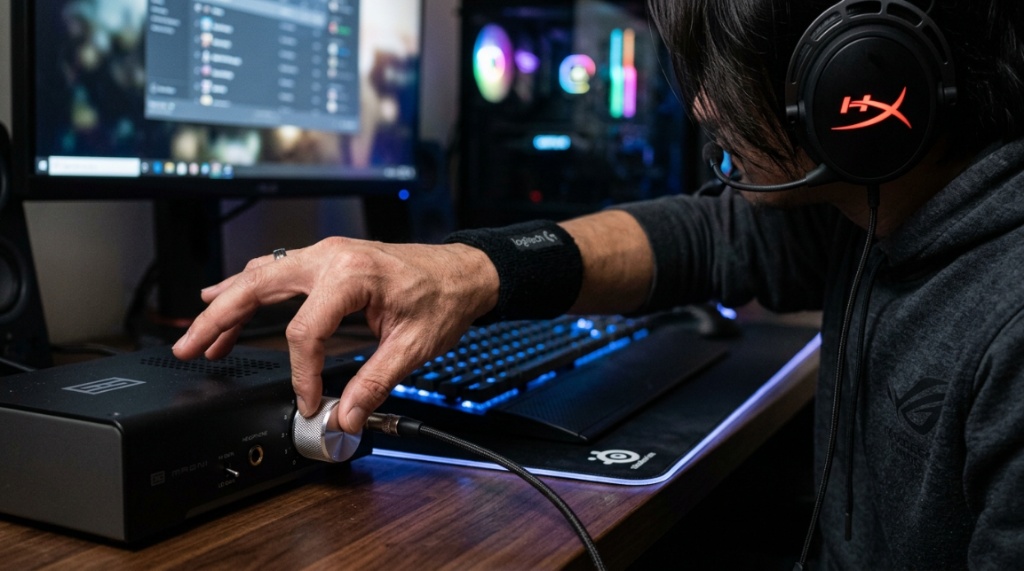
Your living situation and gaming habits dictate the physical format of your amp. Are you tied to a desk, or do you move between a PC, console, and laptop?
- Desktop Amps: These are the classic, boxy units that sit next to your monitor. They usually require a wall power brick, which means significant electromagnetic stability and higher voltage potential. They often offer more connection options (balanced outputs, dual RCA inputs) and stronger power output. If you have a dedicated gaming room with a PC, a desktop amp is usually the superior choice. You get more power, more control, and often a satisfying physical volume knob for fine adjustments.
- Portable DAC/Amps: These are battery-powered, often the size of a deck of cards or a thicker smartphone, and connect via USB-C or a 3.5mm jack. They’re perfect for console gaming (where you can plug them into the controller) or if you swap your headphones between a PC and a laptop for work. They generally have a lower power ceiling than desktop units but are incredibly convenient and take up zero desk space. For gaming, the latency on these modern units is non-existent.
Console Gaming (PlayStation and Xbox)
If you’re on a console, there’s a critical consideration: Xbox controllers use a proprietary connection that is notoriously picky with USB audio. You cannot simply plug in most USB DACs to an Xbox and expect it to work. You either need an amp that is explicitly certified for Xbox or a converter (like an HDMI audio extractor). PlayStation consoles, on the other hand, generally support UAC-1 standard USB audio, making them plug-and-play with most standard desktop DACs and amps. If you’re a console gamer, prioritize a model with a coaxial or optical input if you want to bypass the controller’s older DAC.
Key Features for Gaming (That Aren’t Just Specs)
Audiophile reviews often focus on soundstage width and “musicality,” but gamers have different priorities. Here are the features that matter most in practice during a game session.
Latency: The Non-Negotiable Factor
Wireless audio has improved, but a wired headphone amplifier remains the gold standard for absolute latency. You need the sound of an enemy flanking you to hit your ear at the exact millisecond they turn the corner. Any processing delay (latency) in the amplifier or DAC can degrade your reaction time. Modern solid-state amplifiers are essentially instantaneous. You do not need to worry about an amp adding “mushiness” to your audio. If it’s a modern piece of gear, the signal is passing through virtually unhindered.
Connectivity and Multi-Device Management
Gamers often have multiple audio sources: a PC, a console, and a phone. Look for amplifiers with multiple inputs and the ability to switch between them without unplugging cables. If your amp has a front-panel 3.5mm input, that’s a huge quality-of-life win, allowing you to connect your phone or a second monitor without crawling under your desk. Also, whether you prefer a smooth analog volume pot or a stepped attenuator is a personal choice, but make sure the knob has positive grip and isn’t overly sensitive near the volume you normally use.
Where to Buy in Texas: Brick-and-Mortar vs. Online
Texas is big, and depending on your city, your options vary. You have a choice between supporting local communities in cities like Austin and Houston versus leveraging the wider selection and often better return policies of online retailers.
| Purchase Method | Advantages | Disadvantages | Best For |
|---|---|---|---|
| Local Audio Stores (e.g., Austin, Dallas, Houston) | Ability to physically test gear, immediate gratification, expert advice, support for local economy. | Limited stock of gaming-specific gear, often higher prices (MSRP), and limited selection of budget brands. | People who need to hear a specific headphone/amp combo before buying and value in-person consultation. |
| Major Retailers (Best Buy, etc.) | Easy returns, credit card rewards, some demo displays, and accessible locations across the state. | Staff often lack deep audiophile knowledge, and the headphone demo units are usually driven by poor source gear, making high-end amps sound weak. | Purchasing mainstream gaming amps (like Schiit or top-tier Astro) where you don’t need specialized advice. |
| Online (Amazon, specialist audio e-tailers) | Best customer reviews, robust return windows (often 30 days), and access to boutique brands. | Buying blind without hearing the product first, and shipping heat-related damage (rare with solid-state, but possible during summer months). | Researchers who know exactly what they want and rely on technical specifications and user reviews rather than demos. |
Navigating the “Try Before You Buy” Problem
If you can’t test a $300 amp in person, mitigating your risk is key. When buying online, verify that the office or warehouse fulfillment center is not in a severe heat zone that would void warranties on capacitors (usually not an issue). More importantly, ask about return shipping costs before you buy. A $20 restocking fee on a $150 amp might be okay to find the perfect match, but it’s frustrating if you’re just “curious.” If you buy locally, ask if they have a “listening room.” While rare for gaming headsets, many high-end Texas audio shops have them, and they will let you test your headphones with different amps.
Common Mistakes to Avoid
I see the same issues repeatedly from gamers who are new to the external amp market. Here’s how to steer clear of avoidable pitfalls.
- Overbuying on Power: You don’t need 6 watts to drive 32-ohm gaming headphones. You will likely never turn the volume knob past 10 o’clock. You end up spending money on headroom you’ll never use. Focus on the quality of the preamp section and the DAC, not raw wattage, unless you own planars.
- Ignoring the DAC: A headphone amp takes the audio signal and amplifies it. If you’re plugging it into a headphone jack on your PC, you’re still using a poor source. To get the full benefit, you need a DAC (digital-to-analog converter) as well. Many units are DAC/Amp combos; if you buy an amp only, ensure you have a good quality source to feed it.
- Forgetting About Cable Management: Desktop amps add bulk. The power brick might be substantial, and interconnect cables (from your PC to the amp) are often thick and stiff. Before buying, visualize where the amp will sit. Does it have space to breathe? Solid-state amps run cool, but tube amps generate significant heat—a serious consideration in a Texas summer if your office is in a garage conversion.
- Not Checking Output Impedance: The output impedance of the amplifier interacts with the impedance of your headphones. The rule of thumb is that the amp’s output impedance should be 1/8th of the headphone’s impedance or lower. If you use a high-output amp with low-impedance headphones, you’ll get a bass roll-off or altered frequency response. Check this spec before you buy—if the output impedance is over 10 ohms (which is common for OTL tube amps), it’s not suitable for sensitive IEMs or low-impedance gaming cans.
Setting a Budget: Where Your Money Actually Goes
Setting a realistic budget is crucial. You can get excellent gaming performance without spending a fortune.
- $50–$100: This is entry-level territory. You’ll find dongles (like the Apple USB-C dongle or basic Fiio models) that are great for low-impedance headphones. They are tiny but add significant clarity. You’re paying for a clean DAC chip, but the internal amp is weak.
- $100–$250: This is the “sweet spot” for gaming. Units like the Schiit Hel 2E or Fulla E, the iFi Zen DAC V2, or the Fiio K5 Pro offer robust power for most dynamic headphones, have preamp outputs for powered speakers, and have near-zero noise floors. This is where you get the most practical value and minimal compromises for a gaming PC.
- $250–$500: You are now paying for premium components, balanced outputs (XLR or 4.4mm), and better build quality. You get higher current for planers, but a mid-range gaming headset (like a Sennheiser HD 560S) won’t sound dramatically different than it does on a $150 amp. You’re paying for “headroom” and future-proofing.
- $500+: At this price point, you are well into diminishing returns for gaming audio. The benefits of resolution are real but subtle. If you’re still playing with a standard gaming headset (like a HyperX or a Razer), buying a $600 amp is a waste—the headphones will bottleneck the chain. Your money is better spent on better speakers or a dedicated gaming headset upgrade.
Sound Characteristics and Gaming Preferences
Different amps have different “voicings”. Some are neutral and transparent, others are warm and slightly colored. It’s critical to understand what your headphones are contributing to the audio. If you have bright headphones (like a Beyerdynamic DT 990), pairing them with a bright amp will lead to ear fatigue after a long gaming session. Look for a warmer, rounder amplifier to smooth out those edges. Conversely, if your headphones are laid-back and neutral (like Sennheiser HD 6XX), a neutral or slightly lively amp will help bring out detail without changing the signature. Your goal is not to make the amp “color” the sound, but to find a pairing that reduces listener fatigue over the 4-6 hours you’ll spend chasing wins. To complete your audio setup without breaking your budget, make sure to pick noise-cancelling headphones without overpaying.
Final Words on Amplifier Connectivity
Always look for a “line out” or “preamp out” on the back of your amplifier. This is a crucial feature for gamers. This allows you to connect powered speakers (like a pair of studio monitors or computer speakers) alongside your headphones via the same volume knob. This means you can switch between listening on a headset and switching to speakers by simply changing the physical output, which is a massive convenience. Also, confirm whether the amp can handle both TRS and XLR balanced connections. A balanced connection can improve signal-to-noise ratio, which is useful for high-end planer headphones but irrelevant for most single-ended 3.5mm gaming headsets.
Frequently Asked Questions
Does a headphone amp improve my ability to hear footsteps?
Yes, but not because it makes them louder. It reduces harmonic distortion and ensures clean power delivery. This improves the separation between low-frequency rumble (like explosions) and mid-high frequency details (like a cloth rustle or a switch being flipped), allowing your brain to isolate quieter sounds more effectively and pinpoint location.
Can I use a headphone amp with a gaming console like the PS5?
Yes, the PS5 supports standard USB audio. Most DAC/amp combos with a USB-B or USB-C input will be recognized automatically. For Xbox, you’ll need to verify that the specific device is certified for Xbox regarding USB audio support or use an HDMI audio extractor to feed an optical signal to the amp.
Is a DAC/amp combo better than a separate stack for gaming?
For most gamers, a combination unit is better. It saves desk space, reduces cable clutter, and guarantees that the DAC and amp are integrated flawlessly, which avoids potential compatibility issues with ground loops. Separate stacks offer more upgrade flexibility but are usually unnecessary for gaming unless you are pursuing premium audiophile quality.
How do I know if my motherboard is good enough?
If your headphones are 32 ohms or lower and have high sensitivity (around 100dB/mW), the motherboard is often sufficient. But if you hear a “hiss” during quiet scenes, distortion at moderate volumes, or your headphones are over 100 ohms, a dedicated DAC/amp is needed. The hiss you hear is usually a low signal-to-noise ratio from internal electrical interference inside the PC case.
Conclusion
Finding the right Headphone Amplifier for Gaming in Texas is not about buying the most expensive or the heaviest unit. It’s about understanding a few key specs—your headphones’ impedance and sensitivity—and matching them with a clean power source that has low latency and a neutral or suitable tone. Decide where you play most, measure your desk space, and set a budget that reflects the quality of your headphones. Remember to prioritize features like preamp outputs for your speakers and balanced connectivity only if your gear supports it. If you’ve done the research, you can confidently make your purchase online or at a local store in Austin or Dallas, knowing you are investing in better awareness, reducing ear fatigue, and gaining the competitive edge you need.


