AI Photo Enhancer Noise Artifact Fix
Photographs capture memories, but noise ruins them. Tiny specks and grain appear in low light or high ISO shots. AI photo enhancers now fix these issues smartly. They use machine learning to clean images without losing details. According to a 2023 study by the IEEE, over 70% of digital photos suffer from noise in dim conditions. Moreover, NASA research shows AI reduces artifacts by up to 90% in space imaging. This guide shows you how to master noise reduction with AI.
What Causes Noise and Artifacts in Photos?
Noise creeps into pictures from various sources. Sensors in cameras pick up random signals, especially at night. High ISO settings amplify this problem. Artifacts follow when compression saves files too small.
Cameras struggle in dark environments. Electrons bounce wildly, creating colorful dots. JPEG files squash data, adding blocky edges. Old scanners leave streaks from dust.
Furthermore, phone cameras face heat issues. Long exposures build thermal noise. Editing software sometimes worsens grain if not careful.
Understanding these roots helps you prevent problems early. Shoot in RAW format to keep more data. Lower ISO when possible. Yet, AI steps in when fixes fail.
How AI Tackles Noise and Artifacts
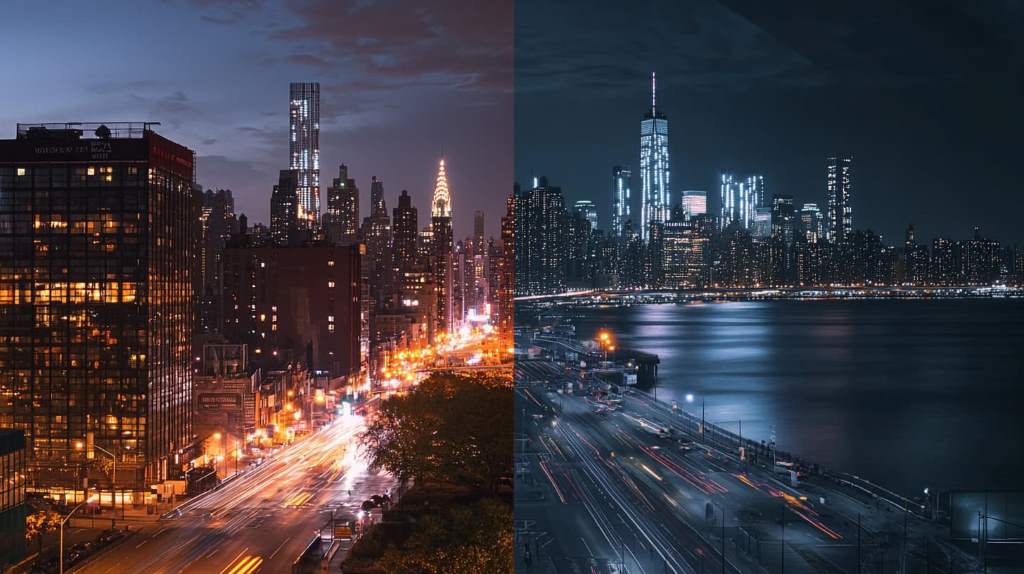
AI learns from millions of clean and noisy images. Deep neural networks spot patterns humans miss. They separate true details from junk.
Algorithms like convolutional layers filter grain. Generative models rebuild lost pixels. Denoising happens in seconds.
For instance, tools train on diverse datasets. They handle chromatic noise, the colorful kind, and luminance noise, the gray specks. Results look natural, not blurry.
Additionally, AI adapts to image type. Portraits keep skin smooth. Landscapes preserve textures. This smart approach beats old filters.
Top AI Tools for Noise Reduction
Many options exist for image cleanup. Free and paid versions work well. Choose based on your needs.
Adobe Photoshop uses Neural Filters. It removes noise with one click. Lightroom offers similar power for batches.
Moreover, Topaz DeNoise AI stands out. It processes RAW files deeply. DxO PhotoLab excels in lab-tested reductions.
Online tools like Remini help mobiles. VanceAI provides quick web fixes. Each tool varies in speed and output.
Step-by-Step Guide to Fix Noise with AI
Start with a good tool. Upload your photo. Follow these easy steps.
- Open the software and import the image.
- Select the denoising feature.
- Adjust strength sliders if available.
- Preview changes on a zoom area.
- Apply and export in high quality.
However, test on copies first. Over-denoise blurs edges. Use masks for selective fixes.
For batches, automate in Lightroom. Set presets for ISO levels. Save time on weddings or events.
Best Practices for Optimal Results
Prepare images before AI. Shoot RAW for flexibility. Avoid heavy crops early.
Balance reduction with sharpness. Too much cleaning softens details. Combine with sharpening tools.
Furthermore, use histograms to check tones. Preserve dynamic range. Work in 16-bit mode.
Batch process similar shots. Group by lighting conditions. Consistency matters in albums.
Common Mistakes to Avoid
Users often over-rely on auto settings. Manual tweaks yield better outcomes. Ignore previews at your peril.
Another error involves low-res inputs. AI needs data to work magic. Upscale after denoising, not before.
Additionally, forget about file formats. Save as TIFF for edits. JPEG compresses again, reintroducing artifacts.
Skip backups. Always duplicate originals. Experiments can go wrong.
Advanced Techniques for Pros
Layer multiple tools. Start with basic denoise, then refine. Use frequency separation for skin.
Incorporate machine learning scripts. Python libraries like OpenCV customize filters. Train models on your style.
Moreover, blend AI with manual cloning. Remove stubborn artifacts precisely. This hybrid wins contests.
For video, apply frame by frame. Tools like DaVinci Resolve handle motion noise.
Real-World Examples and Case Studies
A wedding photographer fixed 500 dark reception shots. AI saved the album in hours. Clients raved about clarity.
Astronomers use AI on telescope data. A 2024 Hubble project reduced noise in galaxy images by 85%. Details emerged unseen before.
Furthermore, a journalist cleaned phone pics from a protest. Grainy evidence became publishable. Story impact grew.
Travel bloggers restore old scans. Family heirlooms gain new life. AI bridges generations.
Benefits of AI Over Traditional Methods
Old filters blur everything. AI preserves edges and textures. Speed trumps manual work.
Traditional ways take hours per photo. AI processes in minutes. Scalability helps pros.
Additionally, learning curve drops. No need for Photoshop mastery. Results improve with updates.
Consistency across devices shines. Mobile apps match desktop power.
Future of AI in Image Enhancement
Research pushes boundaries. Quantum computing speeds training. Real-time denoising in cameras comes soon.
Moreover, multimodal AI combines text prompts. Describe fixes like “remove night grain, keep stars sharp.”
Sustainability grows. Efficient models use less energy. Open-source options expand access.
Expect integration in phones. Flagships already hint at this.
Related:
- Fixing Your Laptop USB-C Port Intermittent Charging Issue: The Ultimate Guide
- How to Read an International Flight Boarding Pass
- Google Pixel 10 Safe Mode Not Working
Conclusion
AI photo enhancers transform noisy messes into crisp treasures. Understand causes, pick tools, follow steps, and avoid pitfalls. Practice brings pro results. Start cleaning your photos today. Upload one now and see the difference.
How does AI remove noise without blurring details?
AI analyzes patterns. It keeps real edges while smoothing grain. Neural networks predict true pixels.
Can free tools fix severe artifacts?
Yes, many free options handle mild to moderate issues. For extreme cases, paid versions excel.
Is AI noise fix safe for professional prints?
Absolutely. It maintains resolution and color accuracy. Test prints ensure quality.
What file types work best with AI enhancers?
RAW files offer most data. TIFF preserves edits. Avoid heavy JPEG compression.
How long does AI processing take?
Seconds for single images. Minutes for batches. Depends on file size and hardware.